A thought, safely kept
Record on your phone or start from your wrist. Bookmark the moment and add a note.
 Liusonary
ON-DEVICE VOICE MEMORY
Ideas, decisions, and the things you agreed to do. Capture the conversation, make sense of it on your device, and return to the words that matter.
For iPhone and Apple Watch · Invitation-only beta
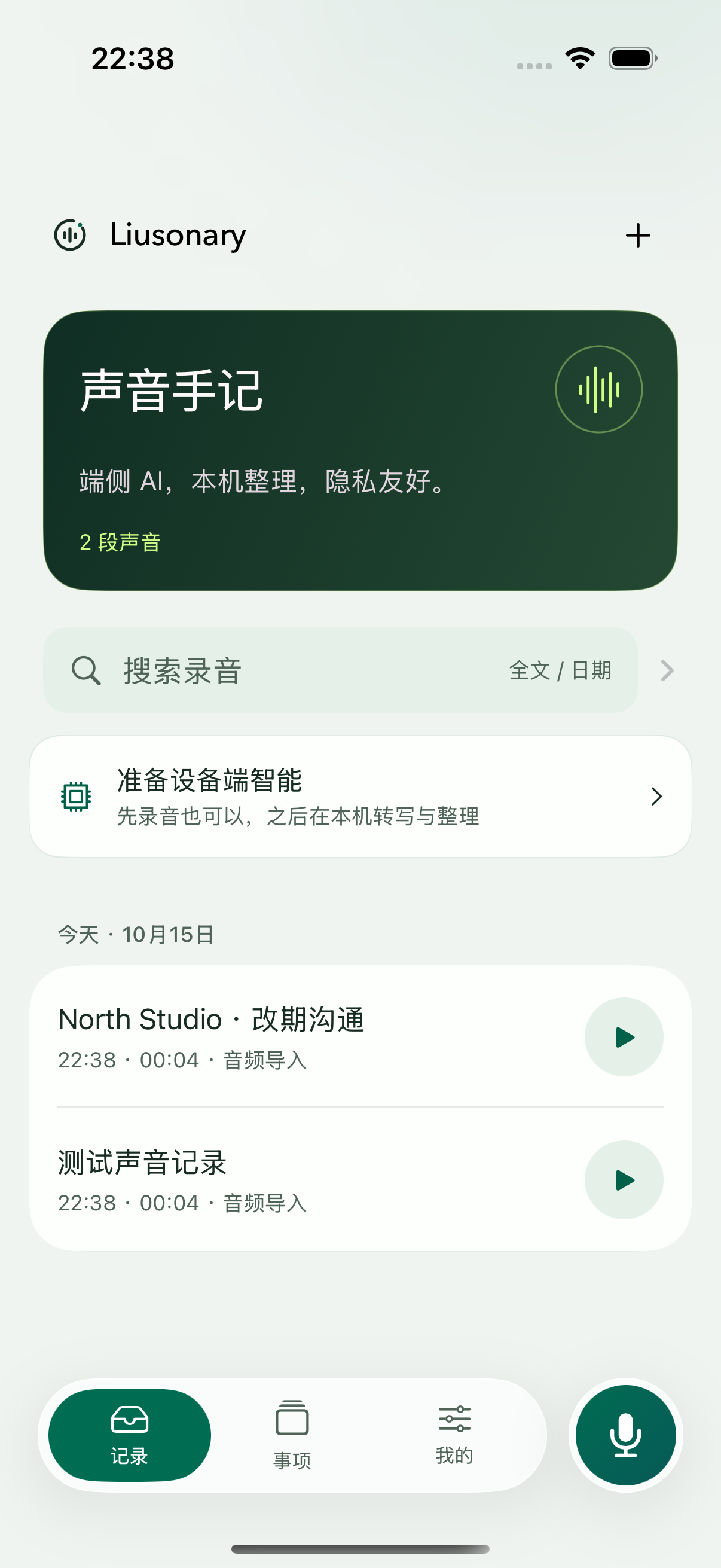
Native beta interface · All shown content is fictional
LESS ADMIN. MORE ATTENTION.
Record on your phone or start from your wrist. Bookmark the moment and add a note.
Keep transcripts, summaries, and personal notes distinct. Correct the text and organize it again.
Follow a summary reference to the transcript and its audio time. Check what was actually said.
Link related recordings to a topic. Review proposals and changes, then confirm arrangements yourself.
PRIVATE BY DESIGN
Recording, transcription, and AI organization happen on your device. Once the models are ready, you do not need to send audio or transcripts to an external model service—or bring an API key.
Follow the path of your dataInitial model setup needs a connection. Your sharing, exports, and enabled system backups may create copies in the services you choose.
Recording interface illustration
A SMALL MOMENT. KEPT.
Apple Watch keeps the essentials close: start, bookmark, pause, and finish. Return to your paired iPhone to read, organize, and find what matters.
Guide The system schedules transfers. Watch keeps its copy until the phone confirms saving it. Long-session battery life and background reliability depend on your actual device.GOOD TO KNOW
Initial model and system-language downloads need a connection. Once ready, supported devices can transcribe and organize locally. Availability depends on your device, system, and language.
The current version records sessions you actively start. Automatic all-day capture is not a public feature, and we do not promise 24-hour recording on Watch.
No. You review topic proposals and links. AI can make mistakes; check important details against the original audio.
Liusonary is currently an invitation-only TestFlight beta. Email us to request access. Invited testers can update through TestFlight; there is no public install link.
Start with the next conversation.
Request beta access